Feb 21 - News: Google Calendar support!
All About Mood Loops
Hello, I'm Austin. I made Mood Loops.
I am also an ex-Google engineer with eight years of professional development experience. You can find me on GitHub or visit my personal website.
Have a question not covered by this page? Let me know through the contact form in the app, and I'll get back to you over email.
All About Mood Loops
Free usage, pricing and subscriptions
Mood Loops is free if you use only 3 loops, which is enough for important stuff.
- For more loops, you can subscribe. Subscriptions are pay-what-you-want and you can choose $1, $5, or $15 per month.
- I am not going to insult you by pretending $4.99 is better than $5.
- The loop limit is removed no matter what you pay. It's up to you!
You can subscribe, change price, or cancel through Stripe from your account page.
- You'll get a reminder three days before renewal.
- Canceling will immediately delete all your loops except for the first three in your list.
Keeping your data safe
You may choose to use Mood Loops to predict sensitive things. I have been careful to design Mood Loops to accomodate your privacy:
- You can make your tracker look like anything you want. 🔥 could mean anything.
- I will never sell your information. I hate big companies and their ad shit more than you do. My business model is to make a good product that you want to pay me for.
- My database doesn't store any history. For more specific details, please refer to my security and privacy pages.
Install the Web App on Mobile or Desktop
Mood Loop is a progressive web application (PWA) and can be installed to your home screen. Here's how to install Mood Loops as a PWA:
- On Android Chrome: tap the three dots button, then "Install App."
- On Android Firefox: tap the three dots button, "More", then "Add App to Home Screen."
- On iOS: Login to Mood Loops in Safari first to stay logged in. Tap the Share button in Safari, then "Add to Home Screen."
- On Desktop Chrome: tap the install button in the address bar, next to the bookmark star.
Examples
All of these examples can be one-click copied from inside the Mood Loops app.
Simple Symptom Loop
Let's make a simple loop that means "I had a meltdown (or pre-meltdown), so I know I'll feel 😵💫 for 3 days."
Create a new loop, then click on it to open the editor. Click the title to edit it. Select the "archive it" drop-down option so that when this loop finishes, you can click it once to restart it right away. In the moods section, adjust the 😵💫 mood by clicking on the emoji, the day counter, and the eye-dropper icons. Note that all changes are auto-saved.
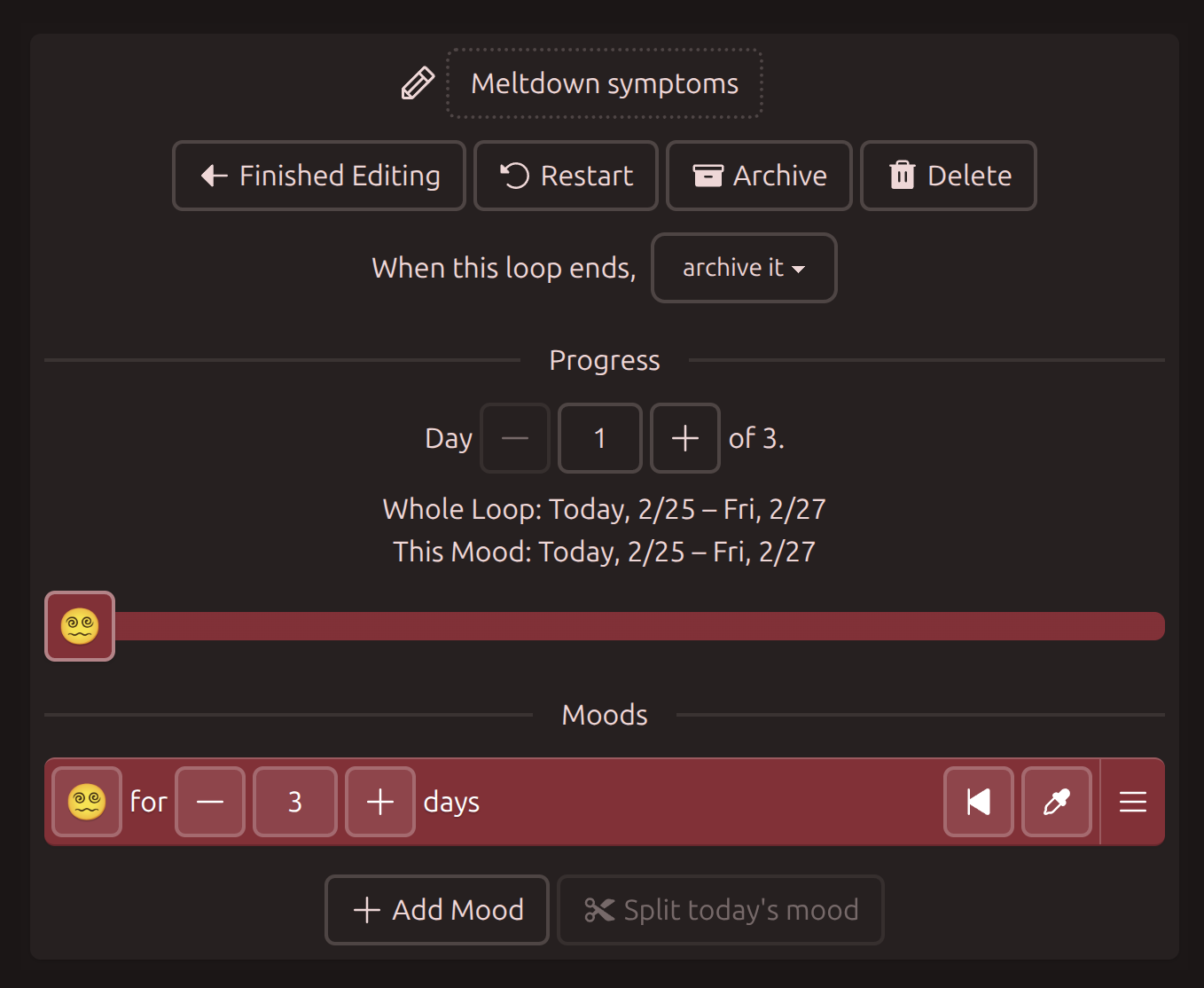
Starting from today, the "Meltdown Symptoms" loop will be shown for three days, then it will be archived. Try dragging the slider to day 3. That means "today is day 3 of your symptoms," and the loop would be archived tomorrow.
Click the Archive button to archive the loop and return to your loop list. When you experience symptoms, you can click the archived loop to restart it immediately.
Simple loops are good for symptom cool-off. With more moods, you can use them for things like:
- Complex cold symptoms, with a few days of 🤒, a few days of 🤕, and then a week of 😷 to remember you're still contagious.
- Ramping up on vitamins, with one week of 1️⃣ gummy and one week of 2️⃣ gummies.
Medication tracker, with Google Calendar
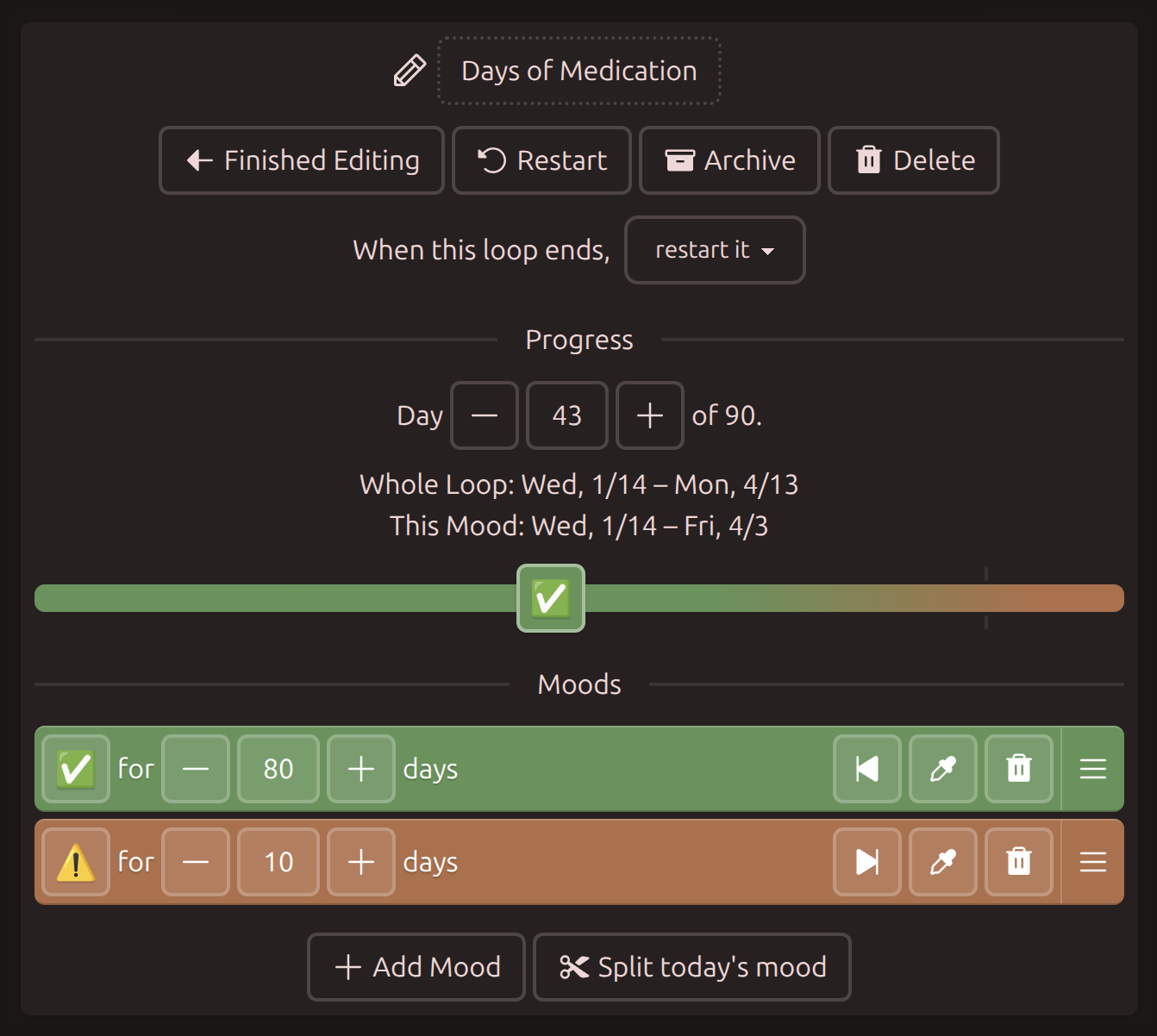
Let's make another loop that means "I have 90 days of medication. When there are 10 or fewer days left, I need to request a refill." We'll auto-sync the refill time on Google Calendar.
Make a new loop and set it up with two moods: ✅ for 80 days and ⚠️ for 10 days. I set the progress to day 43 of 90, which means I've taken 43 of my capsules already.
Now make a new alert on the alerts screen. Note that if you choose moods from multiple loops, the alert will trigger when all of them happen at the same time. We just want ⚠️ for this alert.
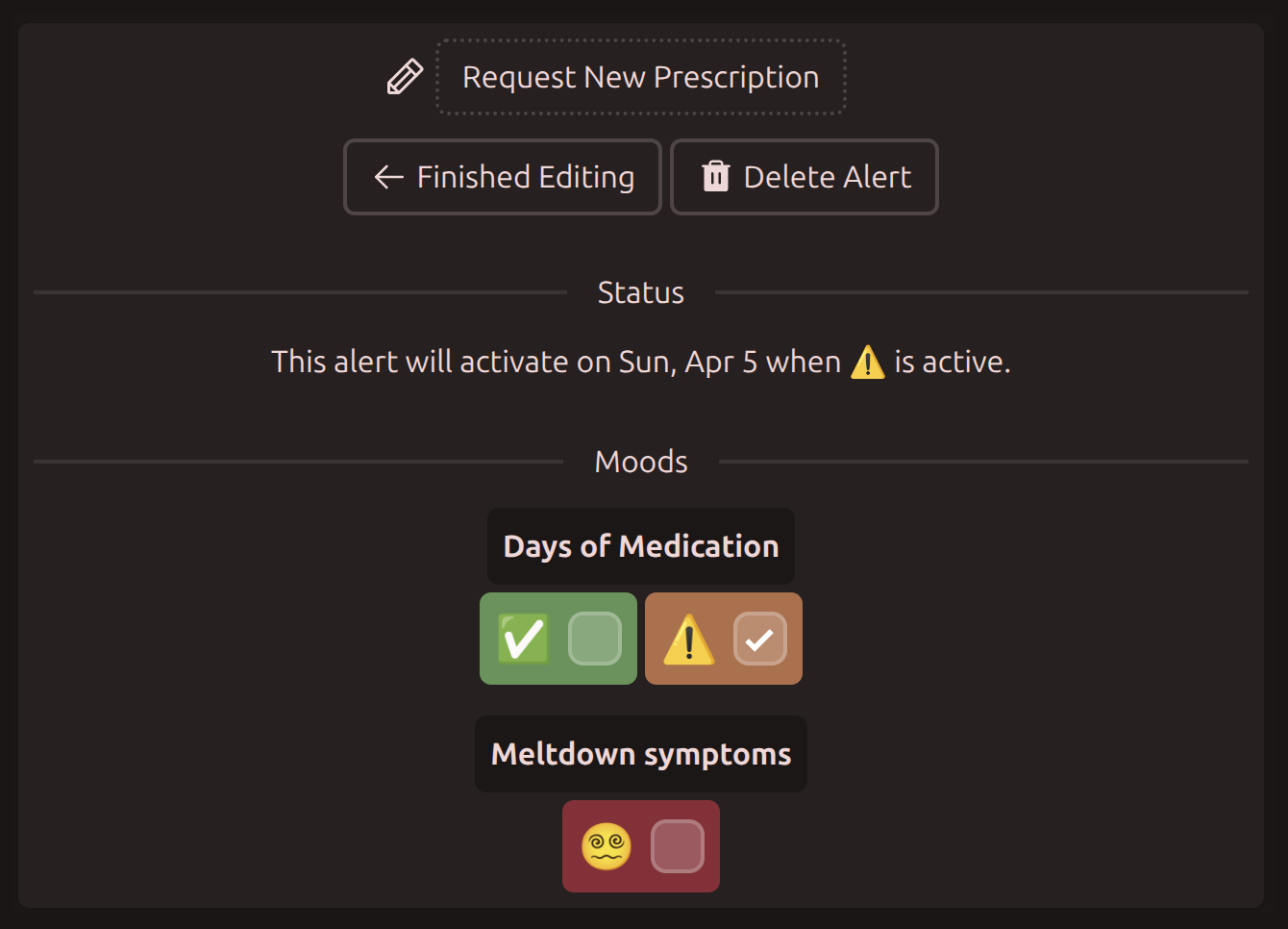
Now Mood Loops's alert page shows you when you'll run low on medication. Let's sync that to Google Calendar as well.
Create an iCalendar URL in the preferences page. Anyone given this URL can download your calendar. On Google Calendar, navigate to Add Calendar by URL and paste the link. All your alerts will stay in sync. ⚠️ lasts ten days, so the calendar event will last ten days too.
Note that Google Calendar can take a long time to sync changes. Online reports seem to say hours, a day, even 48 hours. For other Calendar programs, look for "Add from Internet" or "Add from URL." You can also download and import the .ics file into many calendar programs, but it won't sync automatically.
Menstrual cycle
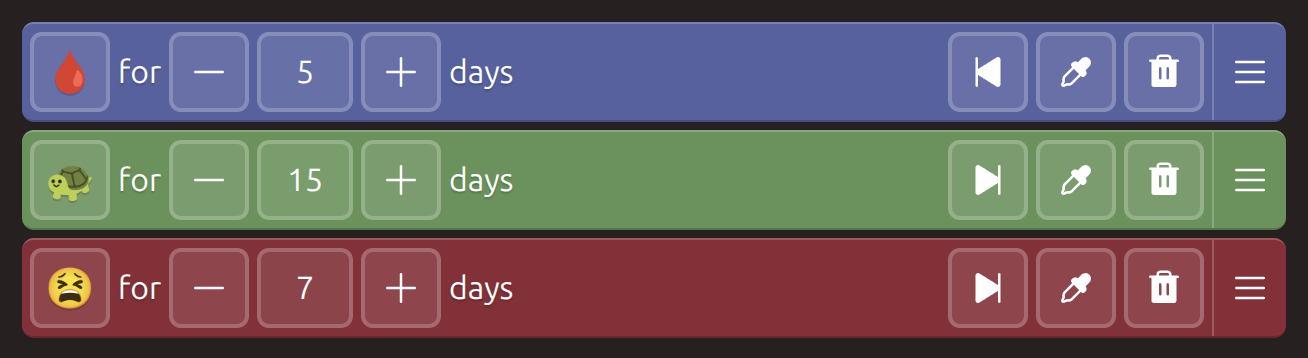
The Menstrual Cycle template has 4 moods, roughly corresponding to the period, Follicular phase, Ovulation, and Luteal phase of the menstrual cycle. Each phase can affect your mood differently. See Clue app's menstrual cycle overview for more details.
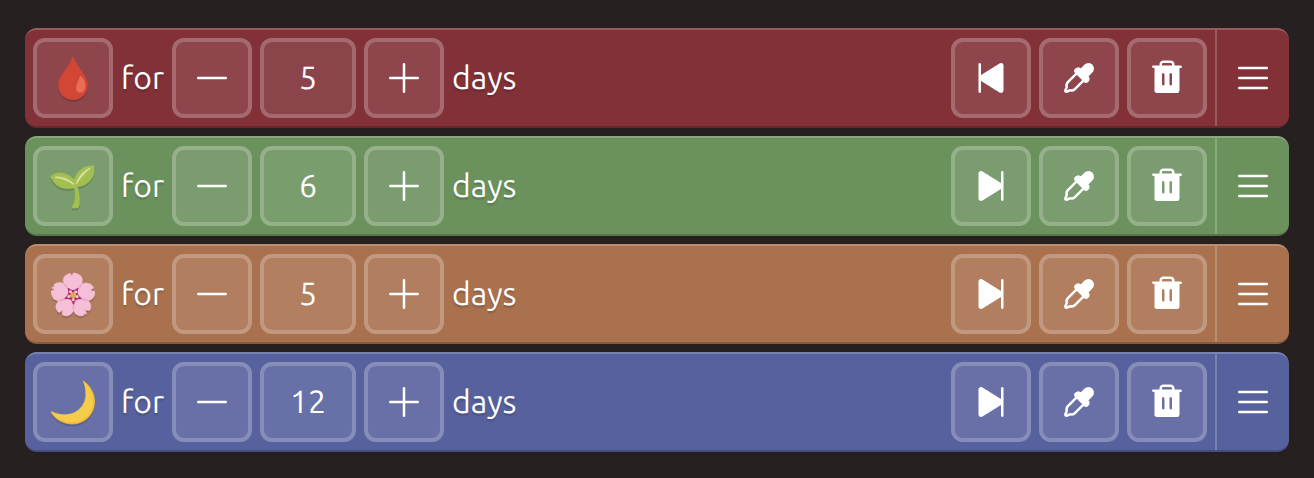
Drag the slider or use the skip-to buttons if you know where your cycle is today. It's easy to adjust the phases as you discover how your body works.
If you prefer, you can change "When this loop ends" to "keep it." Mood Loops will retain the final state until you reset the loop yourself. You can use this to track how long it's been since your last period.
The Menstrual Cycle (simple) template only predicts the period and a difficult pre-menstrual phase.
How long has the shower been dirty?
After finishing, "When this loop ends, keep it" loops keep counting up every day. You could make a one-day loop called "Trying to stop gluten," and reset it whenever you eat gluten.
Let's make a loop that means "I want to know how long it's been since I cleaned the shower. If it's been less than a month, then it's fine."
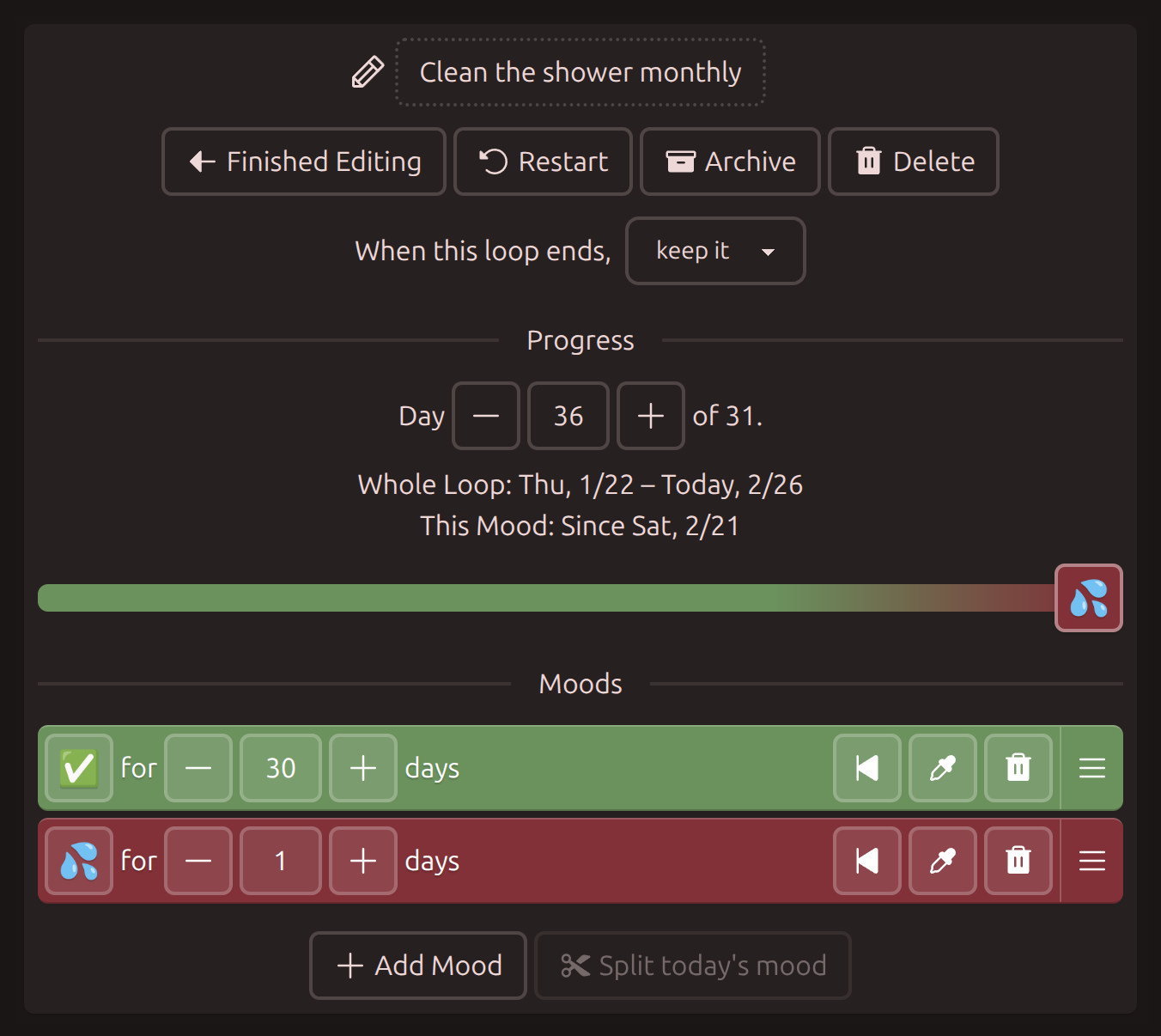
Expanded mode shows how many days it's been since the shower has been cleaned.

Compact mode shows the number of days the shower has been dirty.

You can use keep-it loops to track things like quitting a bad habit, chores that are OK until they're not, or even something like "I want to keep in contact with someone but not more than once a week."
Changing the way loops look
These buttons change how loops look:
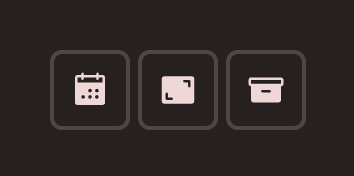
Click the left button to show dates, the middle button to switch between compact and expanded mode, and the right button to show archived loops and the drag handles. Click an archived loop to restart it from the beginning.
Here are some of the tutorial loops in compact mode. Note how the Menstrual Cycle loop displays "1 \ 5". Today is day 1 of the 5-day 🩸 phase.
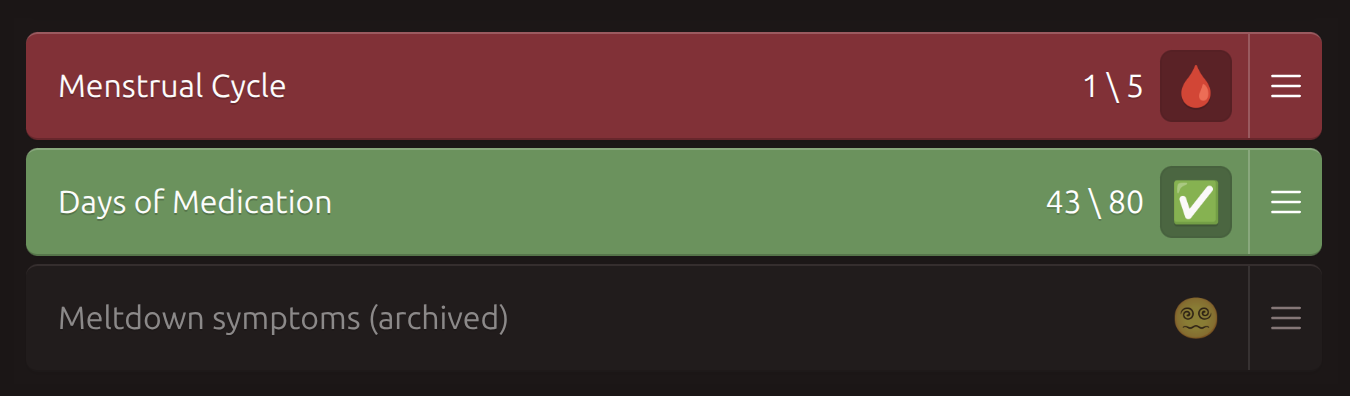
In expanded mode, the display changes to "Day 1 of 28". Note that you cannot drag the sliders.
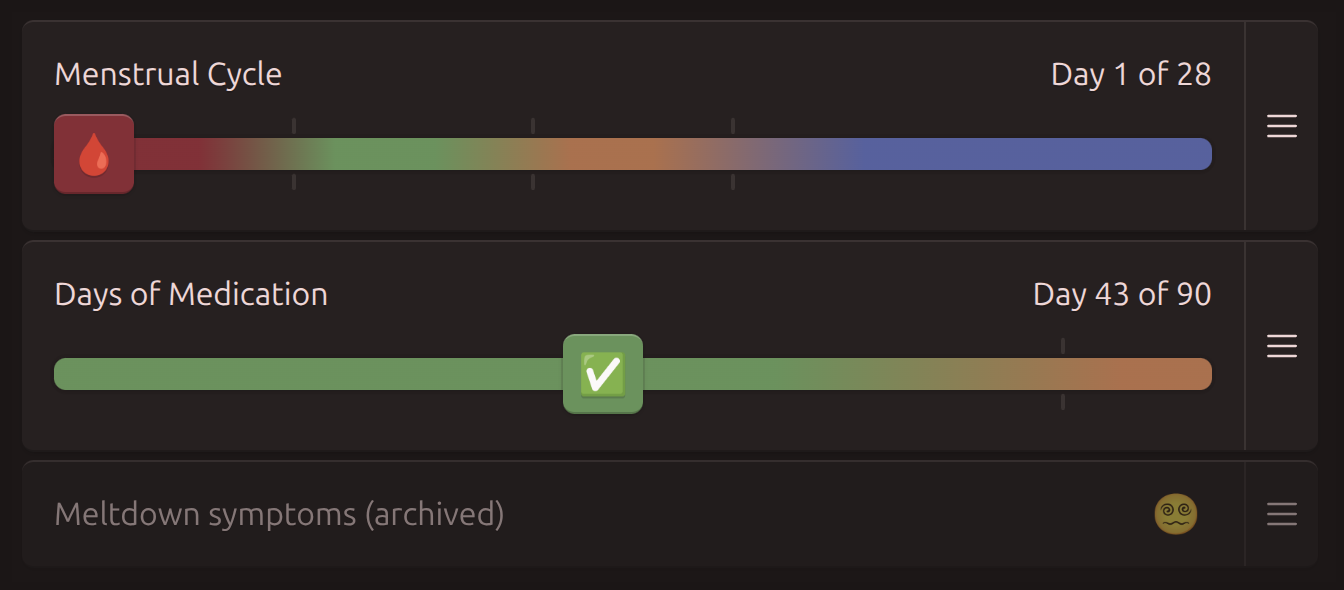
Compact mode always shows the length of the current phase, and expanded mode shows the length of the whole loop.